The Reolink viewer
your Mac deserves
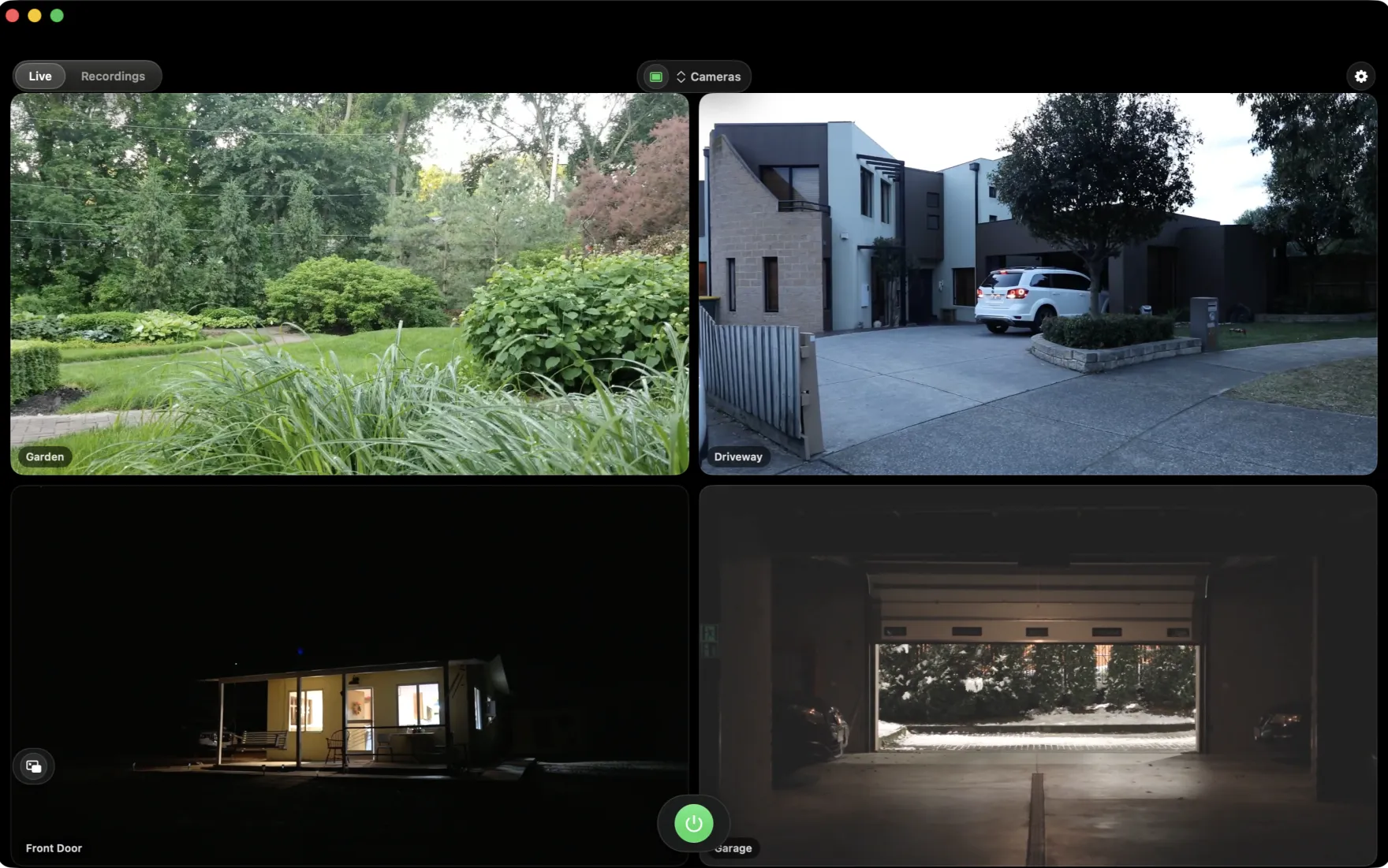
No Electron, no waiting. ReoMac is a 100% native Swift app optimized for Apple Silicon: streams start instantly, the interface feels like part of macOS, and your cameras — including battery P2P models like the Altas PT Ultra — are right at hand, with no cloud and no account.
- Streams start in a blink
- Optimized for Apple Silicon
- A fraction of CPU & RAM
- 100% local, zero cloud
Your Mac deserves better than Electron
Typical desktop camera clients are browsers in disguise (Electron): they eat hundreds of megabytes of RAM, take ages to load a live view and ignore macOS conventions. ReoMac was built from scratch in Swift — the way Apple builds its own apps.
🐢 A typical Electron client
- A heavy browser in disguise — hundreds of MB of RAM at launch
- Live view takes painfully long to load
- A foreign interface: ignores macOS gestures, shortcuts and windows
- Hammers the CPU and drains your MacBook's battery
⚡ ReoMac — native Swift
- Launches in a blink, the stream starts right away
- Easy on CPU and RAM — optimized for Apple Silicon
- Looks and behaves like part of the system
- Remembers windows, supports gestures, saves battery
The comparison refers to typical Electron/browser-based camera clients, not to any specific product.
Everything you need for home monitoring
ReoMac speaks the camera's own language — the Baichuan protocol — and turns the stream into smooth playback with no video transcoding.
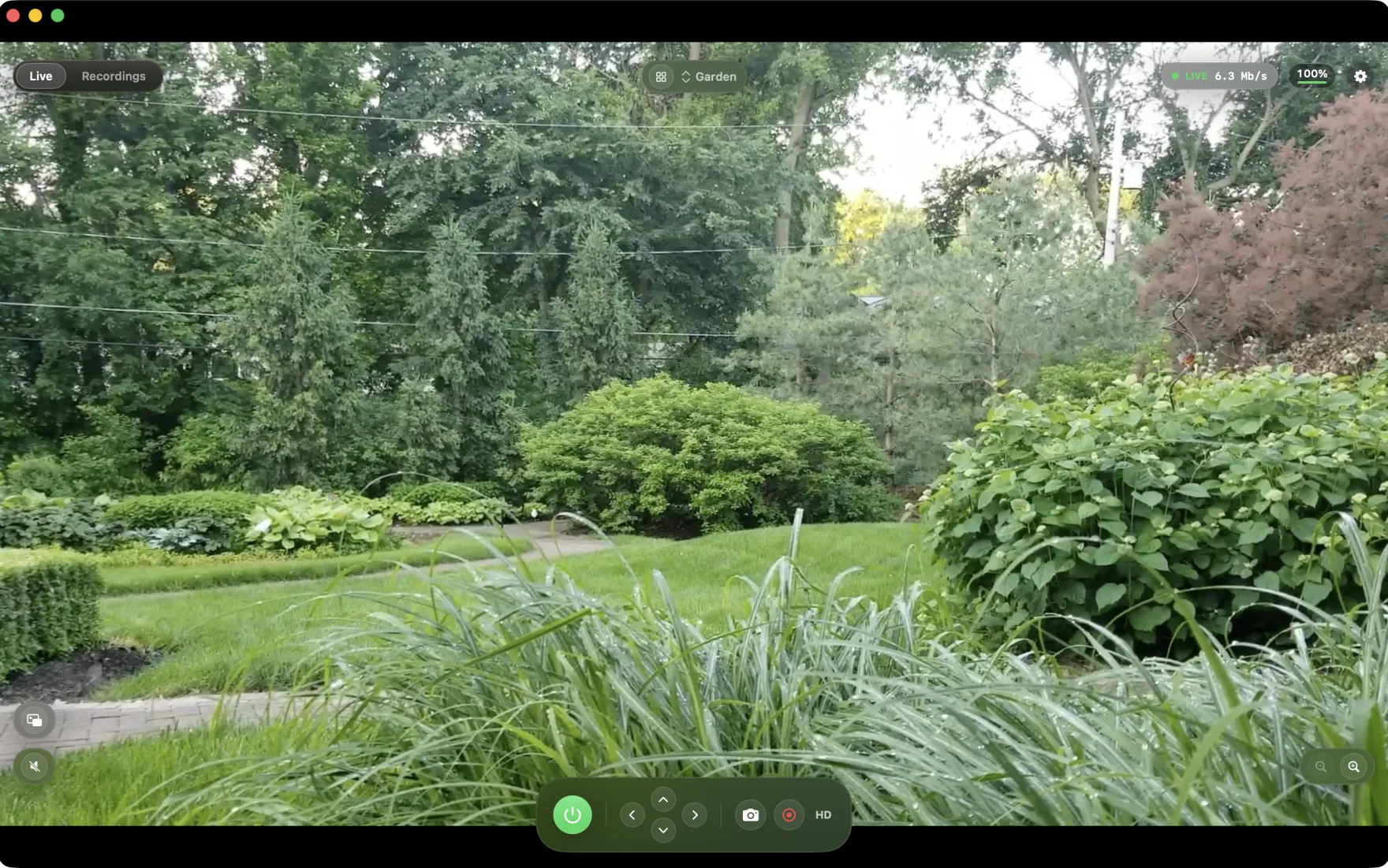
Preview that's practically live — Your camera's feed reaches your Mac in a few seconds instead of a dozen or more. Pan, tilt and zoom respond the moment you ask.
Live view over P2P
Direct connection to the camera by UID — works even with battery models without RTSP/ONVIF, like the Reolink Altas PT Ultra.
PTZ control and zoom
Pan and tilt the camera with a virtual pad; zoom in and out with one click or a keyboard shortcut.
Battery friendly
The stream runs only while you're watching. Battery level is always visible in the bar — you know when the camera needs charging.
Multi-camera grid
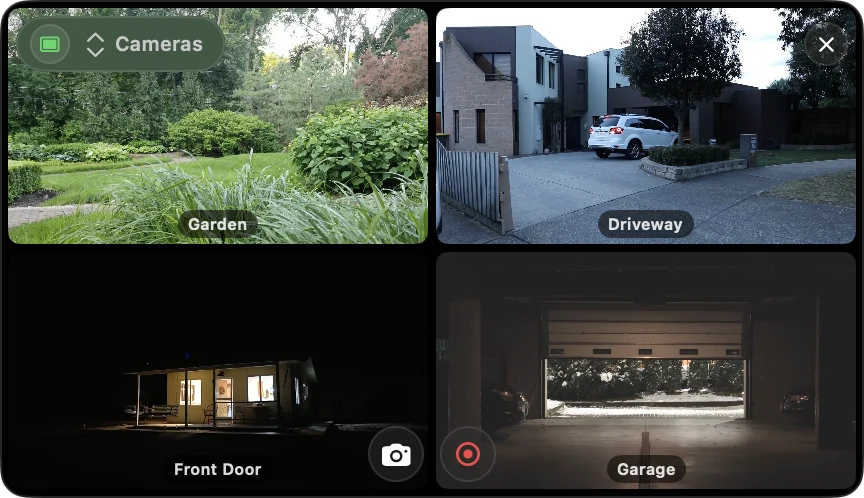
View several cameras at once in a clean grid, with quick switching to a single-camera view.
Local recording
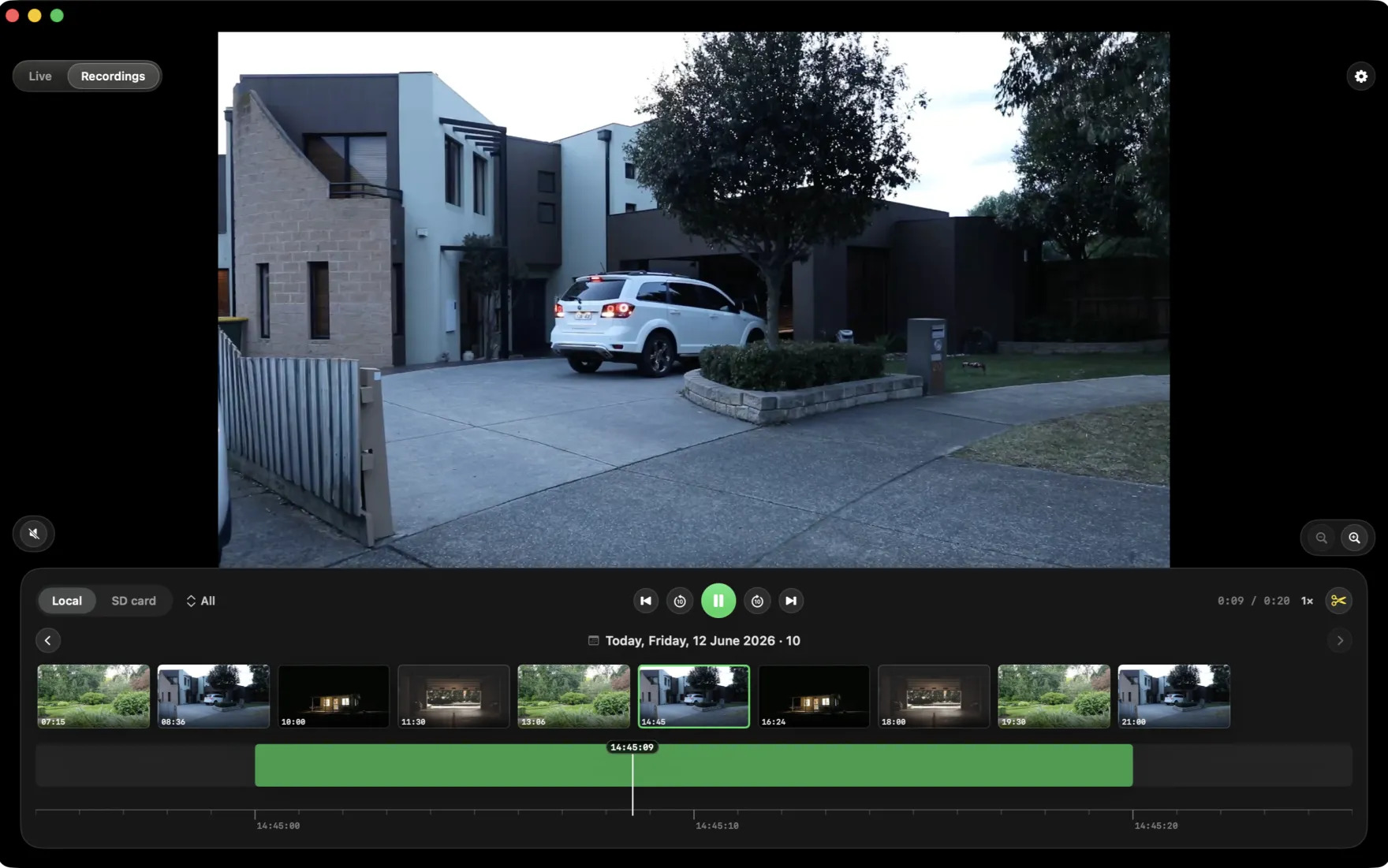
Record clips with one click straight to your Mac's disk. Built-in library of recordings and snapshots with thumbnails.
See ReoMac in action
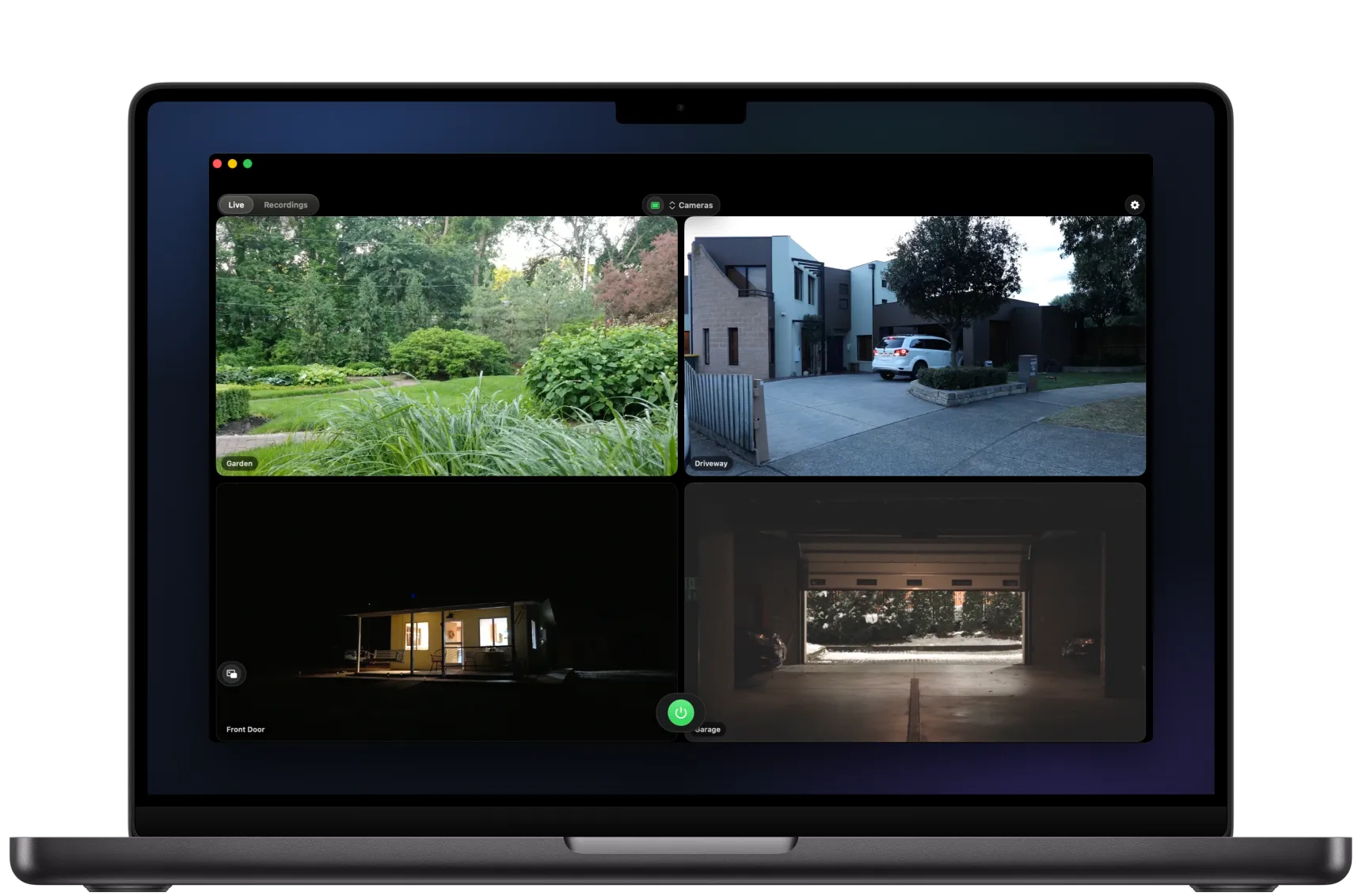
Camera grid, night vision, PTZ control, recordings with a timeline, and the mini player.
Built for every Mac
From the MacBook Air to the Mac Studio — ReoMac taps the power of Apple Silicon and scales from a discreet mini player to a full wall of cameras.
Backed up to your own iCloud
ReoMac backs up your recordings and snapshots straight to your iCloud Drive — the same Apple cloud that holds your photos. Not an outside cloud, not our servers: your own private iCloud, encrypted by Apple.
Straight to your iCloud Drive
Recordings, snapshots and SD-card downloads land in a "ReoMac" folder in your iCloud Drive — the same private Apple cloud as your photos. No third-party services.
Automatic, in the background
New footage is copied on its own the moment it's saved. Nothing to remember — your latest recordings are safe right away.
Overwrites the oldest
Set a size limit and ReoMac clears out the oldest copies to make room for new ones. You stay in full control of how much cloud the backup uses.
Only your folder, private
Backup only ever touches its own "ReoMac" folder — your other files are never moved. Apple encrypts it in transit and at rest; no accounts with us, no middlemen.
Your footage is backed up only to your own private iCloud (or a folder you choose) — never to an outside cloud or our servers. Backup is optional and uses Sign in with Apple. Camera and app settings sync across your Macs the same private way.
Full power for less than one coffee
First 14 days free, then the whole app — unlimited cameras, no add-on modules — for $1.99/mo, $13.99/yr or $39.99 once and forever. Pay through the App Store, cancel with one click.
Start watching before the others finish loading
ReoMac is coming soon to the Mac App Store. Leave your email and we'll ping you on launch day.
