Home / For Mac
Native macOS app · built for Apple SiliconReolink for Mac
ReoMac is the native way to watch your Reolink cameras on a Mac. 100% Swift and tuned for Apple Silicon, it opens in a blink, sips power, and keeps every frame on your machine — no cloud, no account, no Electron.
- Streams open in a blink
- Built for Apple Silicon
- 100% local, zero cloud

A real Mac app for your Reolink cameras
Not a web tab. Not a phone app stretched onto a laptop. A proper macOS application.
If you own Reolink cameras and a Mac, you have probably felt the gap: the official desktop client feels like a web page in a wrapper, the browser route is clunky, and the phone app looks lost on a 27-inch display. ReoMac closes that gap with software written natively for macOS — the way a Mac app is supposed to feel.
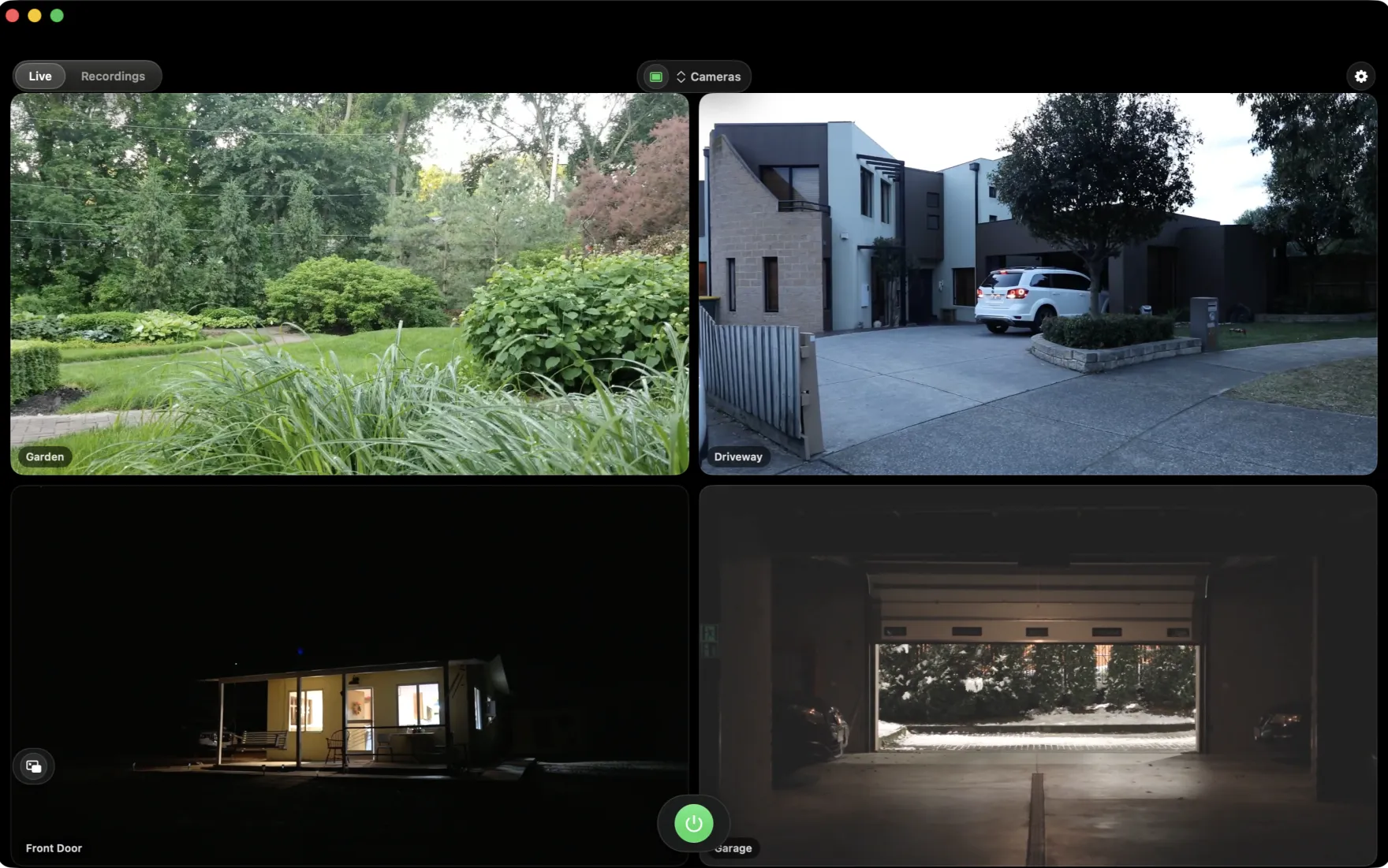
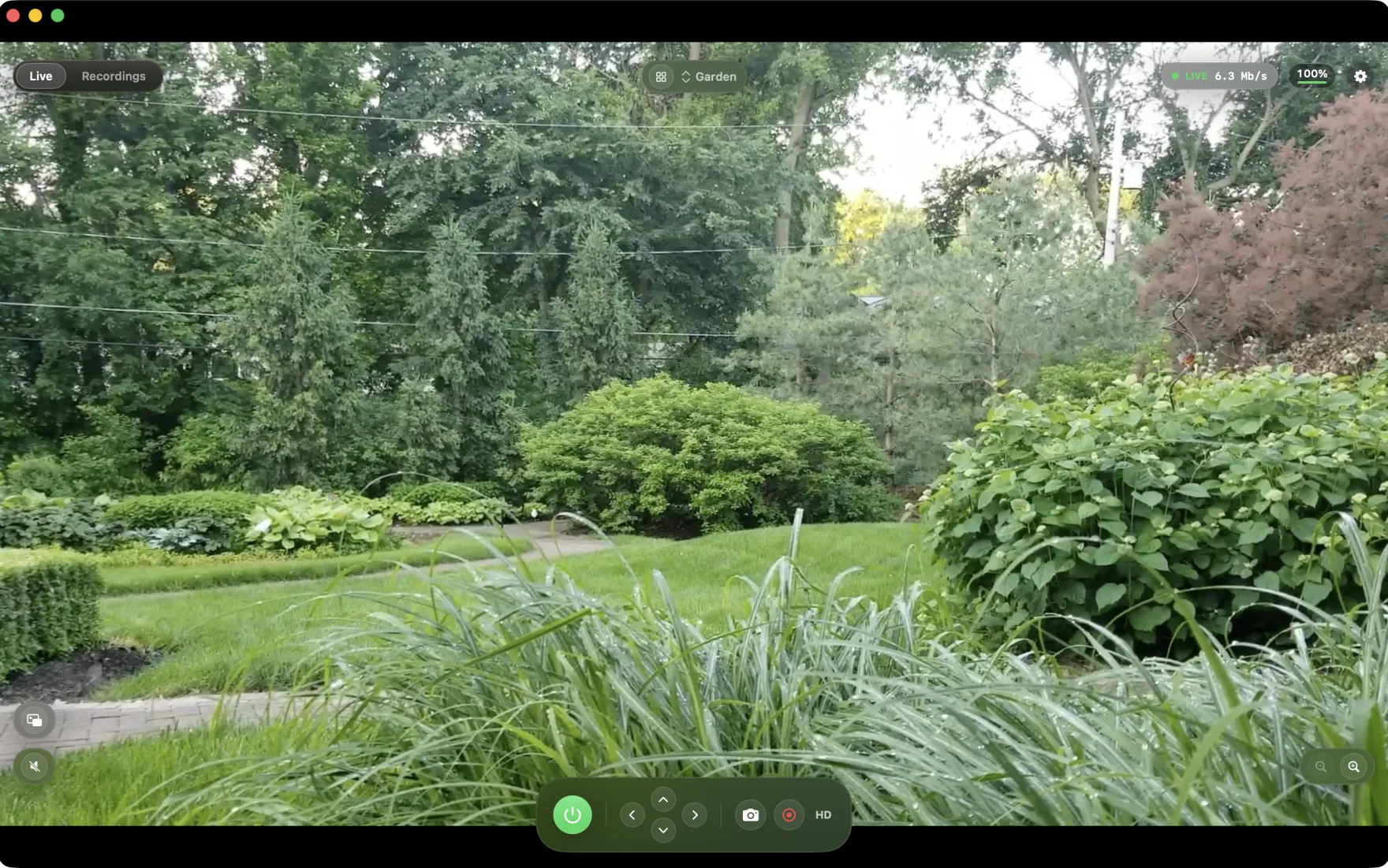
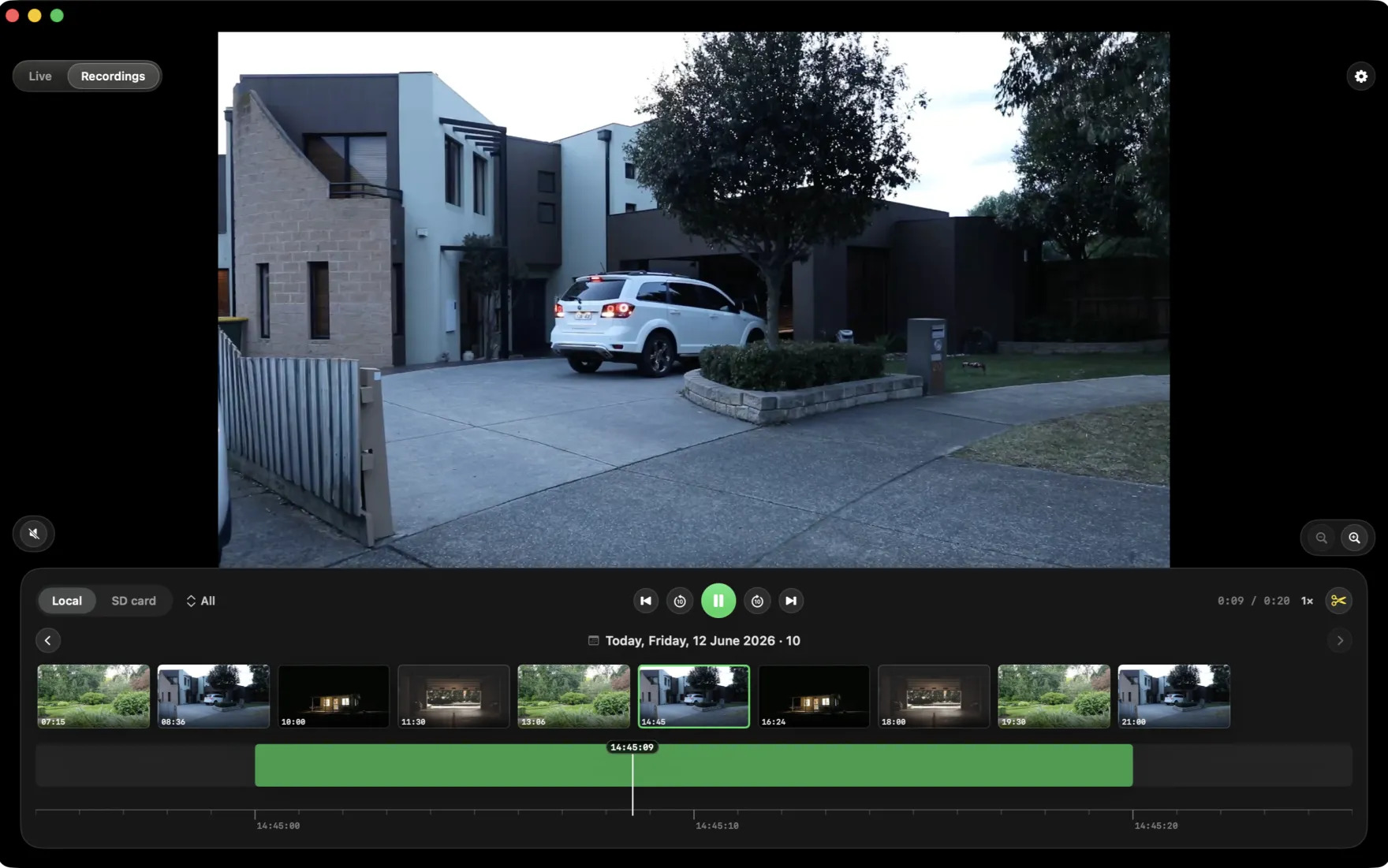
Open the window and your cameras are simply there: a garden camera streaming live, a multi-camera grid filling a big display, PTZ controls under your trackpad, battery levels for wire-free models, and recordings saved straight to your own disk. Everything happens on your Mac and inside your network — ReoMac runs no servers of its own and asks for no account.
The browser tab vs. the Mac app
The same cameras, two very different experiences.
🐢 Browser & Electron clients
- Hundreds of MB of RAM for a single stream
- Fans spin up; the laptop gets warm
- Sluggish, non-native windows and menus
- Frequent logins and cloud round-trips
- Little or no PTZ and battery-camera support
⚡ ReoMac, native on your Mac
- A fraction of the CPU and memory
- Cool and quiet, even on a fanless Air
- Real macOS windows, menus and shortcuts
- Direct local/P2P connection, no account
- Full PTZ and battery status, including Altas PT Ultra
ReoMac connects straight to the camera over Reolink's Baichuan/P2P protocol — your footage never travels through a third-party cloud.
Engineered for M-series Macs
ReoMac is a universal Swift app that runs natively on Apple Silicon — M1, M2, M3 and beyond — and makes the most of every part of the chip.
Native arm64, no translation
Compiled for Apple Silicon — no Rosetta, no Electron runtime. The app launches instantly and stays responsive while it streams.
Hardware-accelerated video
Decoding runs on the Mac's media engine and GPU instead of being brute-forced on the CPU — so several cameras stay smooth and cool.
Energy-efficient by design
Efficiency cores handle background work, and ReoMac only streams while a preview is open — so it barely registers in Activity Monitor.
Unified memory, less of it
A live stream takes a fraction of the RAM a browser-based client would, leaving headroom for everything else you run.
Looks right on every display
Crisp on Retina and scaling cleanly from a MacBook screen to a Pro Display XDR, with full Dark Mode support.
At home in macOS
Menu-bar presence, native notifications and keyboard shortcuts — it behaves like the Mac apps you already use.
Your cameras, where they actually live
Reolink cameras sit on walls, eaves and gateposts, watching over real places. ReoMac brings those views to your desk — exactly as the lens sees them.




Runs beautifully on every Mac
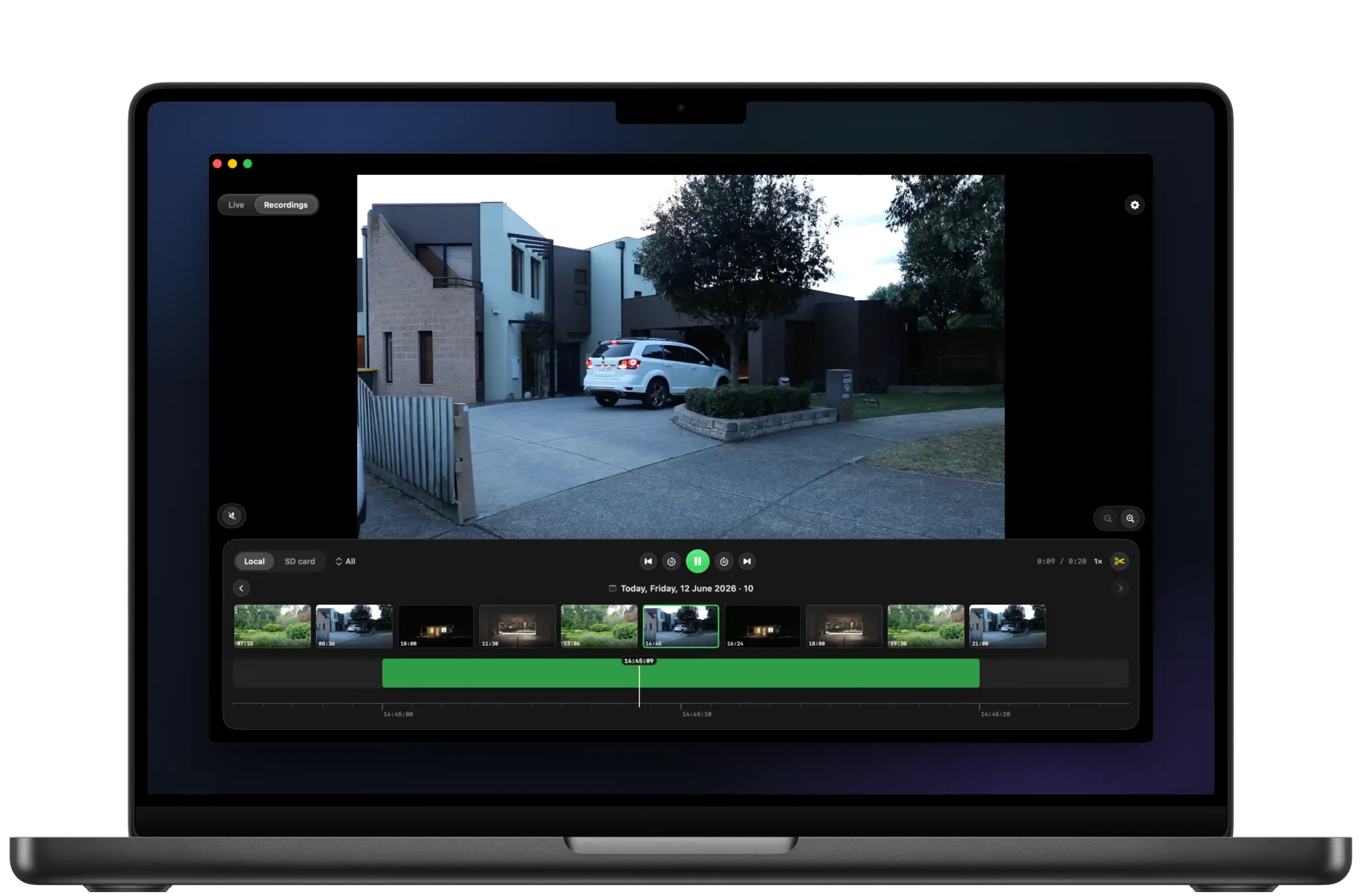
From a fanless MacBook Air to a Mac Studio driving a wall of cameras on a big display — one native app, the same instant experience.

Built for the big screen
A Mac gives your cameras room to breathe. ReoMac uses every pixel of it.
Multi-camera grid
See every camera at once in a crisp grid that fills a large display — ideal on an iMac, Studio Display or Pro Display XDR.
Always-on-top mini player
Float a single camera in a small window that stays above your work, so you can keep an eye out while you do something else.
PTZ from your trackpad
Pan, tilt and zoom Altas, TrackMix and other PTZ cameras with an on-screen pad — precise control, no phone required.
True night vision
See IR and ColorX night footage exactly as the camera captures it, with no extra processing in the way.
Local recording & snapshots
Record clips and grab stills straight to your Mac's disk, organised in a tidy recordings library.
50 languages
The interface automatically follows your system language.
Which Reolink cameras work
ReoMac speaks Reolink's own protocol — including the battery models most apps cannot reach.
Connects by UID
It reaches the camera over Baichuan/P2P by its identifier — so even battery models without RTSP or ONVIF show up, like the Altas PT Ultra.
Battery-camera friendly
Argus, Go and Altas cameras stream only while you watch, and ReoMac reads their battery with one-off queries to spare the charge.
PoE, WiFi & doorbells
Wired RLC cameras, WiFi models and video doorbells on the Baichuan protocol all join the same native viewer.
Reolink on a Mac — your questions
Is there an official Reolink app for Mac?
Reolink offers a desktop client, but many Mac users find it heavy and un-Mac-like. ReoMac is an independent, fully native macOS app built specifically for Apple Silicon, with an interface that feels like part of the system.
Does ReoMac work on Apple Silicon (M1/M2/M3)?
Yes — it is compiled natively for Apple Silicon and runs without Rosetta. It also works on recent Intel Macs, but it is tuned to shine on M-series chips.
Do I need an account or the cloud?
No. ReoMac connects directly to your cameras on your local network or over P2P. There is no ReoMac account and no cloud — your footage never leaves your network.
Which Reolink cameras are supported?
Cameras that use Reolink's Baichuan protocol (P2P by UID), including battery models without RTSP/ONVIF such as the Altas PT Ultra. The list of tested models keeps growing.
Will watching drain my battery cameras?
ReoMac streams only while a preview is open and reads battery level with occasional one-off queries, so casual viewing has minimal impact on wire-free cameras.
How much does ReoMac cost?
The first 14 days are free. After that: $1.99/month, $13.99/year, or $39.99 once (a lifetime license). You buy it inside the app through the App Store.
ReoMac is an independent project and is not affiliated with or sponsored by Reolink Innovation Inc. Reolink, Argus, Altas and TrackMix are trademarks of their respective owners. Mac, MacBook, macOS and Apple Silicon are trademarks of Apple Inc. The field photos show generic cameras, not Reolink products.
Start watching before the others finish loading
ReoMac is coming soon to the Mac App Store. Leave your email and we'll ping you on launch day.
