Home / For MacBook
Native Apple Silicon app · light on batteryReolink for MacBook
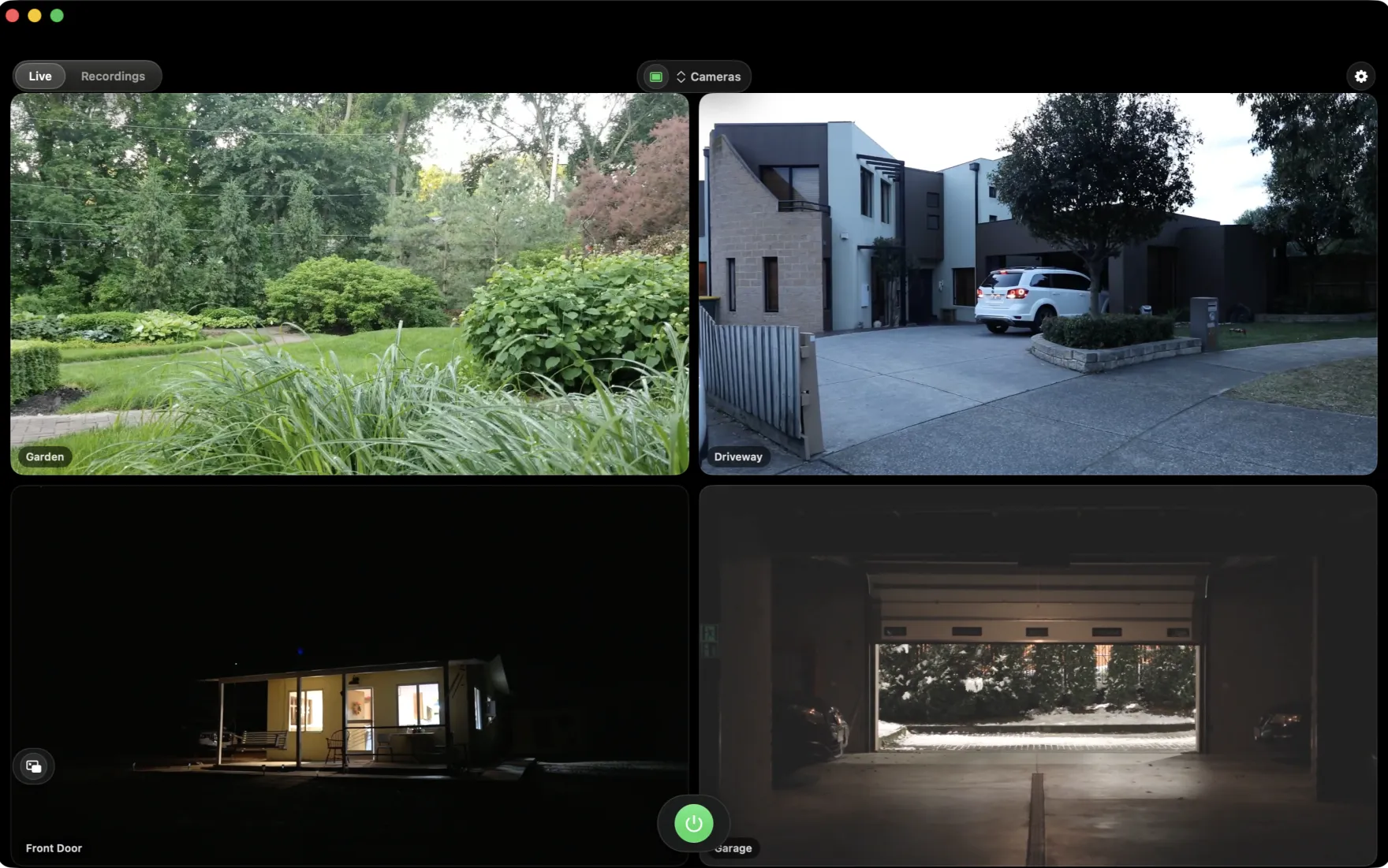
Watch your Reolink cameras on a MacBook without the fan noise or the battery drain. ReoMac is a native Apple Silicon app that stays light, quiet and instant — on the sofa, at a café, or wherever the day takes you.
- Gentle on battery
- Silent on a fanless Air
- Wakes and streams instantly

Your cameras, wherever your MacBook goes
A laptop lives on battery and Wi-Fi. ReoMac was built with exactly that in mind.
A MacBook is not a desktop — it runs on a battery, it should stay cool on your lap, and it follows you from room to room and city to city. Heavy browser tabs and Electron clients fight all of that: they spin the fans, drain the charge and turn a quick camera check into a chore.
ReoMac takes the opposite approach. As a native Apple Silicon app it wakes the moment you open the lid, shows your cameras, and gets out of the way. Stream from your Altas PT Ultra over home Wi-Fi, glance at the front door from a café over a hotspot, or float a mini player in the corner while you work — all while your MacBook stays quiet and your battery lasts.
Everything a laptop wants
Small footprint, long battery life, zero noise.
Sips your battery
ReoMac streams only while a preview is open and leans on Apple Silicon's efficiency cores — so a quick look at the cameras barely moves your battery percentage.
Silent, even on the Air
Hardware video decoding keeps the CPU cool, so a fanless MacBook Air stays completely silent while you watch.
Tiny memory footprint
A single stream uses a fraction of the RAM a browser client needs — leaving plenty for your other apps on an 8 or 16 GB MacBook.
Instant wake
Open the lid and your cameras are right there — no slow reconnect, no re-login, no loading spinner.
Works on the move
Home Wi-Fi, office network or a phone hotspot — ReoMac reconnects to your cameras over P2P wherever you land.
Notch-aware full screen
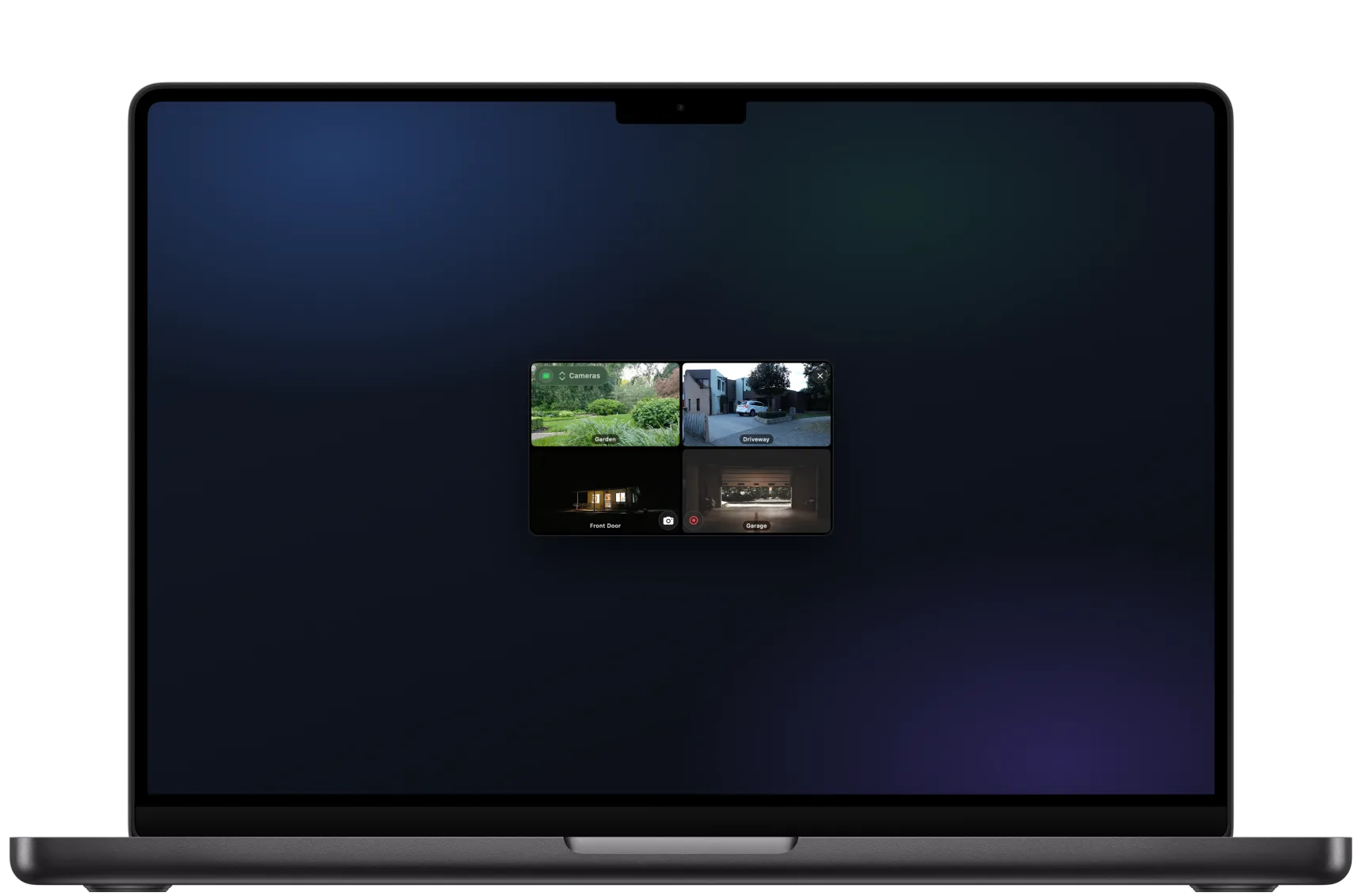
The live grid uses the whole display and respects the camera notch on modern MacBook Pro and Air models.
Real cameras, framed on your lap
Wherever your Reolink cameras are mounted, your MacBook brings the view to you — at home or on the road.




The most of your M-series MacBook
ReoMac is a universal Swift app that runs natively on every M-series MacBook and squeezes the most out of the chip — for performance and for battery.
Native arm64
No Rosetta, no Electron — pure Swift compiled for Apple Silicon, so it launches instantly and stays light.
Media-engine decoding
Video is decoded on the dedicated media engine, not the CPU — smoother streams and far less heat.
Efficiency-core aware
Background work lands on the E-cores, keeping power draw low so your charge lasts through the day.
ProMotion-smooth
The interface is fluid on 120 Hz ProMotion displays and razor-sharp on Retina.
Battery-conscious streaming
Streaming pauses when a preview closes; nothing keeps running in the background to drain your laptop.
A proper macOS citizen
Native notifications, menu-bar access and keyboard shortcuts — exactly what you expect from a Mac app.
A mini player that floats over everything
Pop a single camera into a small, always-on-top window and tuck it into a corner of your screen. Keep watch on the door while you answer email — no second monitor required, which is perfect on a single laptop display.
Battery camera, battery laptop
The Reolink Altas PT Ultra is wire-free and runs for months on a charge. ReoMac is just as careful with your MacBook's battery. Together they keep watch without wasting power on either end.
- Resolution
- 4K UHD · 8MP
- Pan & tilt
- 355° / 90° with auto-tracking
- Night vision
- ColorX — full color, no spotlight
- Camera battery
- 20,000 mAh · up to ~500 days*
- Connection
- WiFi 6 · P2P, no RTSP/ONVIF
- On your MacBook
- streams only while watching
Reolink battery cameras expose no RTSP/ONVIF streams — they speak only their own P2P protocol to save power, so they need a client that speaks it. ReoMac does, natively, and only while you are watching. (* Battery life depends on settings — approximate figures, per Reolink.)
Which Reolink cameras work
From wire-free battery cameras to wired PoE — if it speaks Baichuan/P2P, your MacBook can watch it.
Connects by UID
ReoMac reaches the camera over Baichuan/P2P by its identifier — so even battery models without RTSP or ONVIF show up, like the Altas PT Ultra.
Battery-camera friendly
Argus, Go and Altas cameras stream only while you watch, and ReoMac reads their battery with one-off queries to spare the charge.
PoE, WiFi & doorbells
Wired RLC cameras, WiFi models and video doorbells on the Baichuan protocol all join the same native viewer.
Reolink on a MacBook — your questions
Does ReoMac run well on a MacBook Air?
Yes — that is one of its strengths. Hardware video decoding keeps the fanless Air silent and cool, and a small memory footprint suits 8 GB models.
Will it drain my MacBook battery?
Minimally. ReoMac streams only while a preview is open and uses Apple Silicon's efficiency cores, so a quick camera check has little effect on battery life.
Can I watch my cameras away from home?
Yes. ReoMac connects to your cameras over P2P, so you can view them on any network — home Wi-Fi, the office or a phone hotspot — without opening ports.
Is it native Apple Silicon?
Yes, it is compiled for Apple Silicon (M1/M2/M3 and newer) and runs without Rosetta. It also works on recent Intel MacBooks.
Do I need an account or the cloud?
No account, no cloud. Footage stays on your MacBook and inside your network.
Which cameras are supported, including battery ones?
Reolink cameras on the Baichuan protocol (P2P by UID), including battery models without RTSP/ONVIF such as the Altas PT Ultra.
ReoMac is an independent project and is not affiliated with or sponsored by Reolink Innovation Inc. Reolink, Argus, Altas and TrackMix are trademarks of their respective owners. Mac, MacBook, macOS and Apple Silicon are trademarks of Apple Inc. The field photos show generic cameras, not Reolink products.
Start watching before the others finish loading
ReoMac is coming soon to the Mac App Store. Leave your email and we'll ping you on launch day.
